


Professional Data Analyst is an intensive, hands-on bootcamp designed to build real-world skills in data analysis, visualization, and business intelligence. The course covers Excel, SQL, Python, data cleaning, and tools like Power BI and Tableau through practical datasets, analytical projects, and a capstone project preparing learners for roles like Data Analyst, Business Intelligence Analyst, and Reporting Analyst.
This module introduces the basics of data analytics, career roles like Data Analyst, BI Analyst, and Data Scientist, and how they differ. It covers key industry domains such as business, healthcare, finance, and marketing, explores data types, and explains the typical data lifecycle in U.S. companies. It also includes an orientation to the Capstone project.
Module Lessons:
Tools and Technologies Covered:

This module focuses on using Microsoft Excel as a powerful tool for data handling and analysis. Students begin with Excel fundamentals, including formatting, formulas, and shortcuts, then progress to logical and lookup functions such as IF, VLOOKUP, HLOOKUP, and XLOOKUP. The module also covers advanced tools like Pivot Tables, Slicers, Scenario Analysis, and Sensitivity Analysis to generate insights from data. Learners explore Excel charts, dashboard elements, and the Data Analysis ToolPak for descriptive statistics, concluding with techniques for basic data cleaning in Excel to prepare datasets for deeper analysis.
Module Lessons:
Tools and Technologies Covered:

This module teaches the fundamentals of SQL using PostgreSQL and MySQL, covering core commands such as SELECT, WHERE, GROUP BY, and JOINs. Learners explore aggregations, window functions, and subqueries while applying their skills to real business scenarios including customer churn analysis and revenue analysis.
Module Lessons:
Tools and Technologies Covered:

This module begins with setting up a Python development environment using Jupyter Notebook and Visual Studio Code, then introduces core programming concepts such as variables, loops, and conditionals. Learners work with essential data structures including lists, dictionaries, tuples, and sets, create functions and lambda expressions, and manage files and directories. The module also covers error handling, debugging techniques, and version control using Git and GitHub.
Module Lessons:
Tools and Technologies Covered:

Learn how to use Pandas and NumPy for efficient data cleaning, transformation, and exploratory analysis. Work with different file formats like CSV, Excel, and JSON, handle missing values, duplicates, and perform tasks like filtering, merging, and aggregating data. Gain hands-on experience with EDA using real-world datasets and clean unstructured data using Regex.
Module Lessons:
Tools and Technologies Covered:
Explore how AI-driven analytics enhances data insights using Python. Learn to integrate OpenAI APIs, use ChatGPT for dynamic summaries, and build natural language query systems. Apply sentiment analysis with Hugging Face Transformers and automate data summarization and anomaly detection using machine learning techniques.
Module Lessons:
Tools and Technologies Covered:
Master data visualization in Python using Matplotlib, Seaborn, and Plotly to create clear, informative, and interactive charts. Learn to build various chart types, enhance visuals with styling and color coding, and apply these skills to real-world cases like marketing and operations performance dashboards.
Module Lessons:
Tools and Technologies Covered:

Build a strong foundation in business statistics essential for data analysis. Learn descriptive and inferential statistics, explore probability distributions, and understand the difference between correlation and causation. Apply techniques like hypothesis testing and regression analysis using scikit-learn, and discover the practical scope of statistics in business analytics
Module Lessons:
Tools and Technologies Covered:

Learn how to transform data into compelling visual stories using Tableau. Master the essentials of the Tableau interface, create various chart types, and apply filters, parameters, and calculated fields. Explore dashboard design, build interactive Tableau Stories, and publish your work online—including a final project tied to the Capstone.
Module Lessons:
Tools and Technologies Covered:

Apply everything you’ve learned in a hands-on Capstone Project that simulates a real-world business scenario. Design a database, clean and analyze sales data using SQL, and uncover trends and insights. Then, use Tableau to visualize the results with interactive dashboards and deliver a compelling data story to present key business findings.
Module Lessons:
Tools and Technologies Covered:

Put your AI and Python skills into action with a customer feedback analytics project. Use Pandas to clean and structure text data, apply sentiment analysis using AI models or APIs, and generate automated insights. Visualize the results using Python libraries like Matplotlib, Seaborn, and Plotly, then compile everything into a complete Jupyter Notebook for a professional presentation of findings and AI-driven recommendations.
Module Lessons:
Tools and Technologies Covered:

Gain real-world skills guided by experienced industry professionals.
Learn anytime, anywhere with flexible online classes designed for you.
Access free guides, tools, and learning materials anytime.
Learn practical skills to build real-world career opportunities.
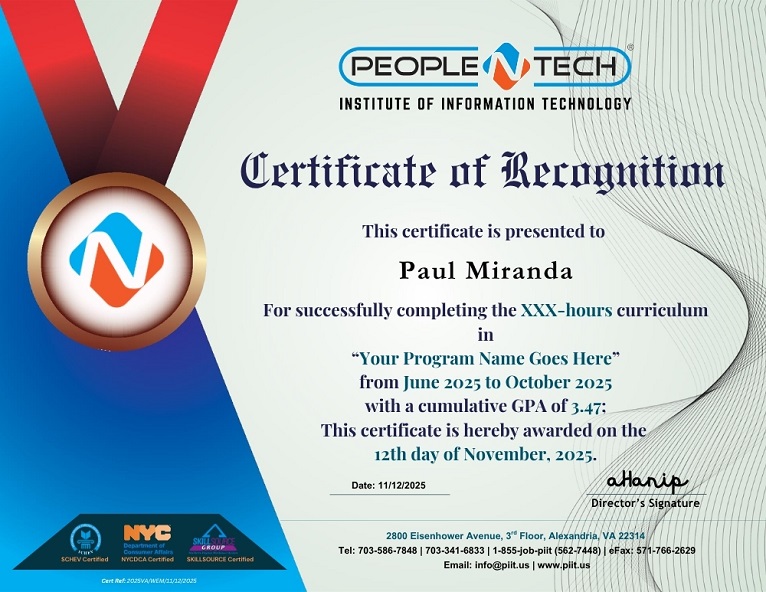

The application process is comprised of three basic steps. The shortlisted candidates will receive an admission offer, which they can accept by paying the admission cost.

Easily apply to any of our bootcamps by completing a simple online form and submitting required information.

An admission panel will shortlist students based on their application

Selected students can commence the program within short time

We've compiled answers to some of the most common questions ask.
This program focuses on analyzing data and turning it into meaningful insights for business decisions. You will also learn how AI tools are used to speed up analysis and uncover deeper insights.
Yes, this program is beginner-friendly and suitable for both IT and non-IT backgrounds. It starts with basic concepts and gradually builds your analytical skills.
You will learn data cleaning, analysis, visualization, and reporting using tools like Excel, SQL, and BI platforms. You will also explore AI-assisted analytics tools to improve efficiency.
You can apply for roles like Data Analyst, Business Intelligence Analyst, and Reporting Analyst. These roles are widely available across different industries.
Data-related roles are among the fastest-growing, with strong demand across industries. In the US, data analysts earn around $110K–$120K+ on average depending on experience.
AI helps automate repetitive tasks, generate insights faster, and improve accuracy. Analysts who can use AI tools are more efficient and valuable in modern workplaces.
Yes, you will work on real datasets, business scenarios, and projects that simulate actual industry work. This helps you build a strong and job-ready portfolio.
Yes, every industry relies on data for decision-making, making this a highly stable and future-proof career path.


